Entry microsite
A mobile-first sign-up page for your contest, reachable from a link or a QR code. Ask for just name and email, or add your own custom fields. No app install — attendees enter in seconds.
How it works
One platform handles the whole loop — sign-up, wallet card, booth check-in, live draw, and the lead list afterward.
A mobile-first sign-up page for your contest, reachable from a link or a QR code. Ask for just name and email, or add your own custom fields. No app install — attendees enter in seconds.
Every entrant gets an Apple Wallet and Google Wallet pass with your branding and a private QR code — shown instantly on the confirmation screen and emailed to them. When you crown a winner, their Google Wallet card updates itself to a winner badge, right on their phone.
Staff scan the pass at your booth to credit a visit. A two-step confirm shows the name before the entry is recorded.
A web billboard for an iPad or big screen that shows entrants and reveals the winner in the room.
Draw a winner at random — cryptographically unbiased and auditable — or pick one yourself.
Run a grand prize, daily giveaways, or both. Draw each prize separately — one person can't win twice — and reveal every winner on the billboard.
Booth staff rate each scanned visitor hot, warm, or cold and add a note — so your follow-up list is already prioritized before you leave the floor.
Hand booth staff a revocable link that opens just the scanner — no account, no access to your data. Revoke it when the event ends.
An on-demand dashboard with entry and delivery stats, plus a one-click CSV export of your warm leads.
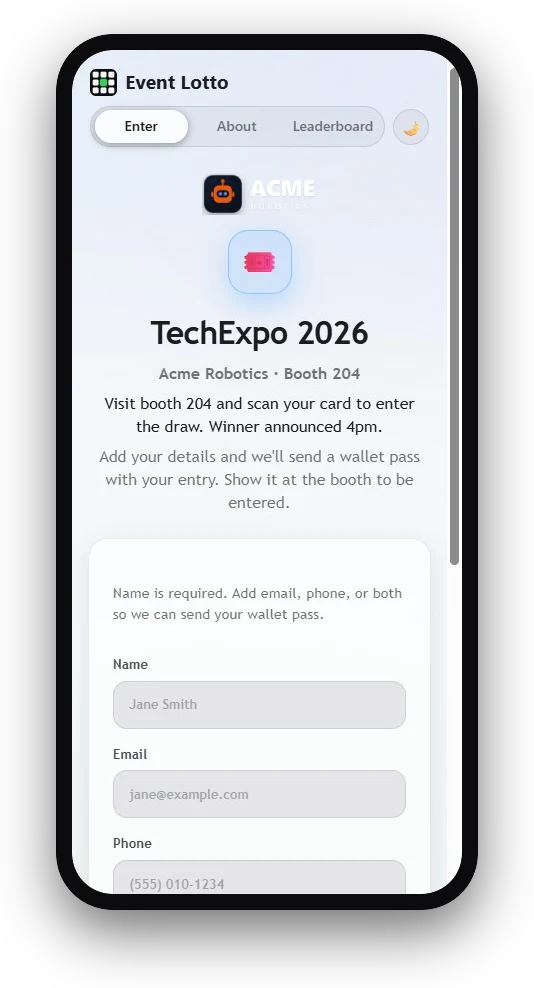
The entry microsite on their own phone — branded form, then a wallet card. No app install.
Watch this part of the demo →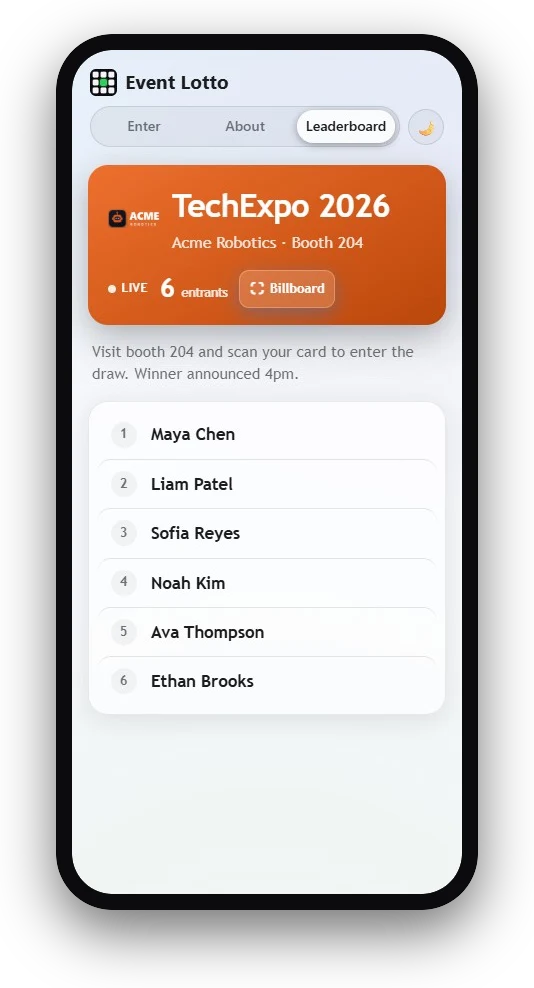
The live leaderboard everyone can watch fill in real time — on phones and the booth screen.
Watch this part of the demo →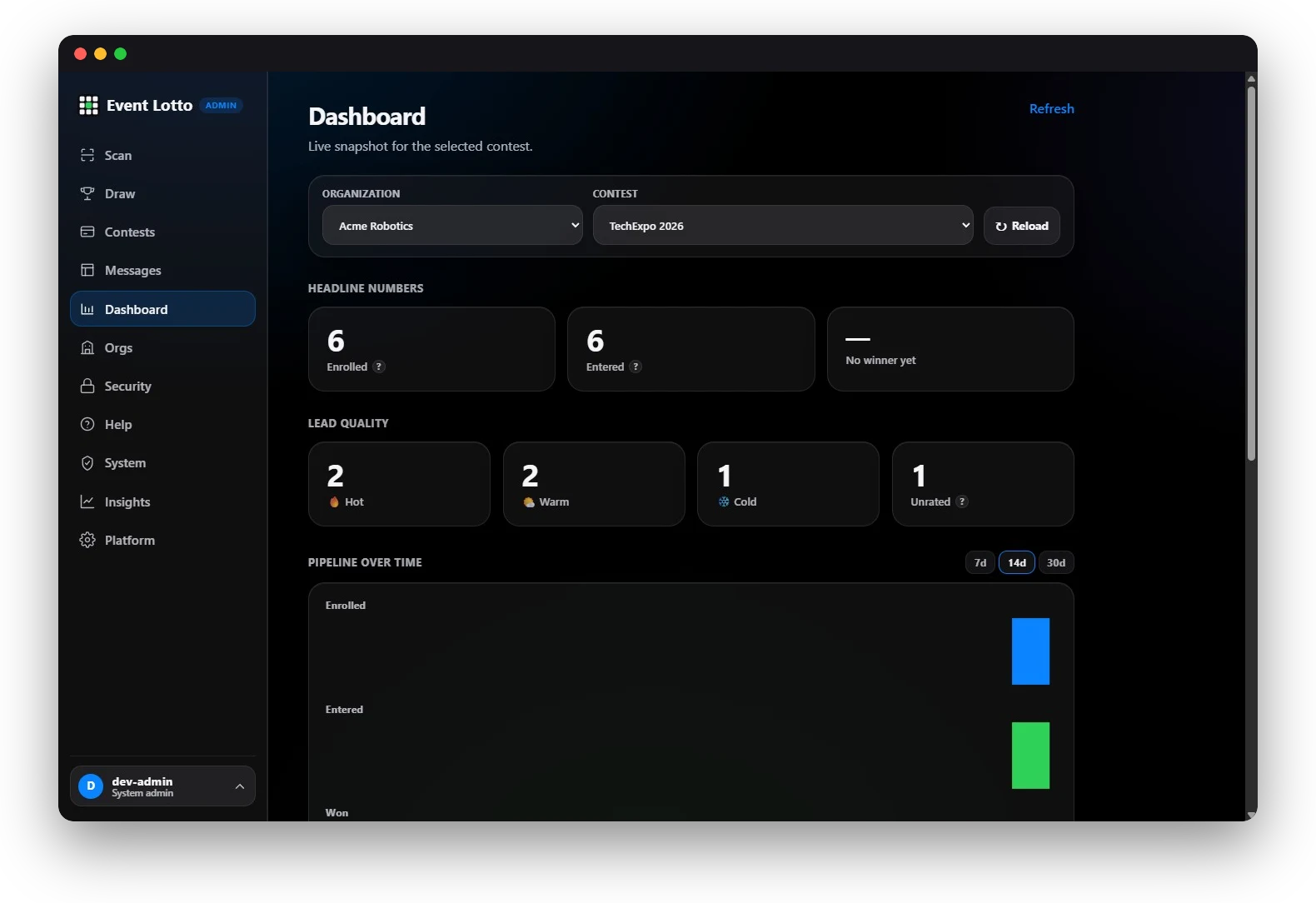
Hot / warm / cold lead quality, pipeline over time, and the CSV export — ready for your CRM.
Watch this part of the demo →No. They enter on a web page and the pass goes straight into Apple Wallet or Google Wallet. Your staff use a browser-based scanner — nothing to install.
Both Apple Wallet and Google Wallet. Each entrant gets a personalized pass for their device.
Everyone who scans in at your booth is automatically entered. You can draw at random — the draw is cryptographically unbiased and records who ran it for an audit trail — or select a winner manually.
Yes. Beyond name and contact, add your own fields — short text, dropdown, checkbox, number, and more — each required or optional.
Yes — Google Wallet cards update in place. When you draw a winner, their card flips to a winner badge on their phone automatically. (Live in-place updates for Apple Wallet arrive with our production wallet rollout; until then Apple reminders and the winner announcement go out by email and on the live leaderboard.)
Yes. Everyone who enters is an opted-in contact, and you can export the full entrant list as a CSV to feed your CRM.
Entry is always free — no purchase necessary — which is what separates a sweepstakes from regulated gambling. You can publish official rules and require entrants to acknowledge them at sign-up, and we keep a timestamped record. You stay responsible for the rules and eligibility for your jurisdiction.
Yes. Export entrants as CSV any time, or use the read-only API and signed webhooks to push entries into your own systems as they happen. A Zapier integration is on the way.
Pay per event, or go unlimited for a year — the annual plan is at an introductory price during our early-launch period. See the pricing page for the two plans.